Calendar & appointments
A calendar that
saves barbers time.
See your day, move a booking, handle a no-show, and check clients out. Start with the appointment and take it from there.
01
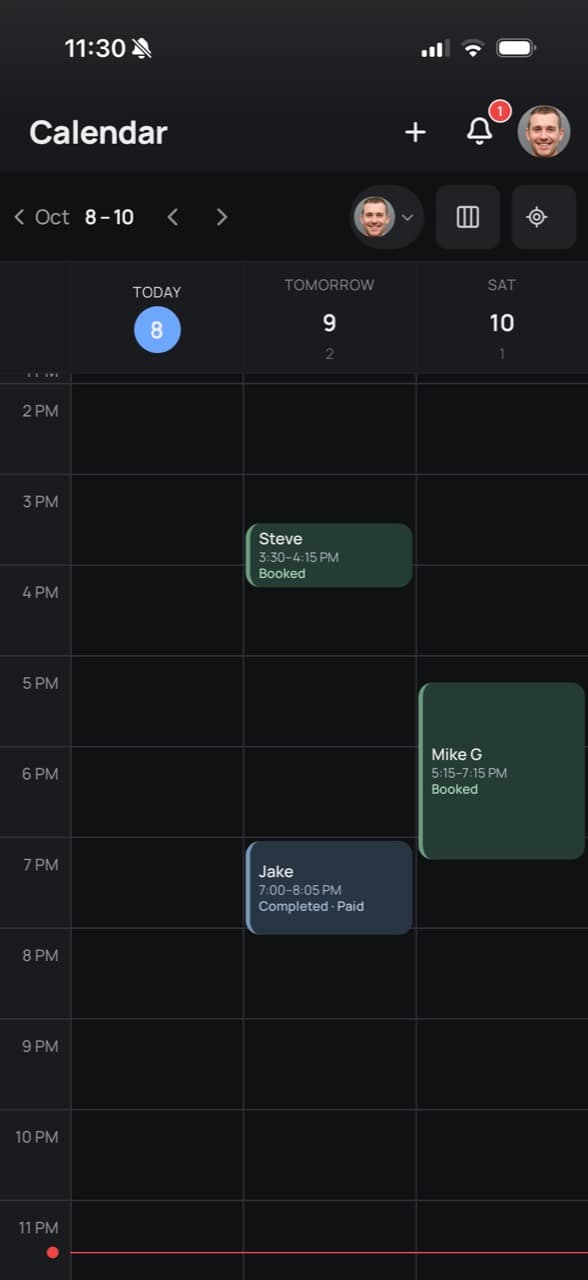
See who’s coming in.
View appointments by day and barber. See booked visits, completed appointments, and open time in your schedule.
02
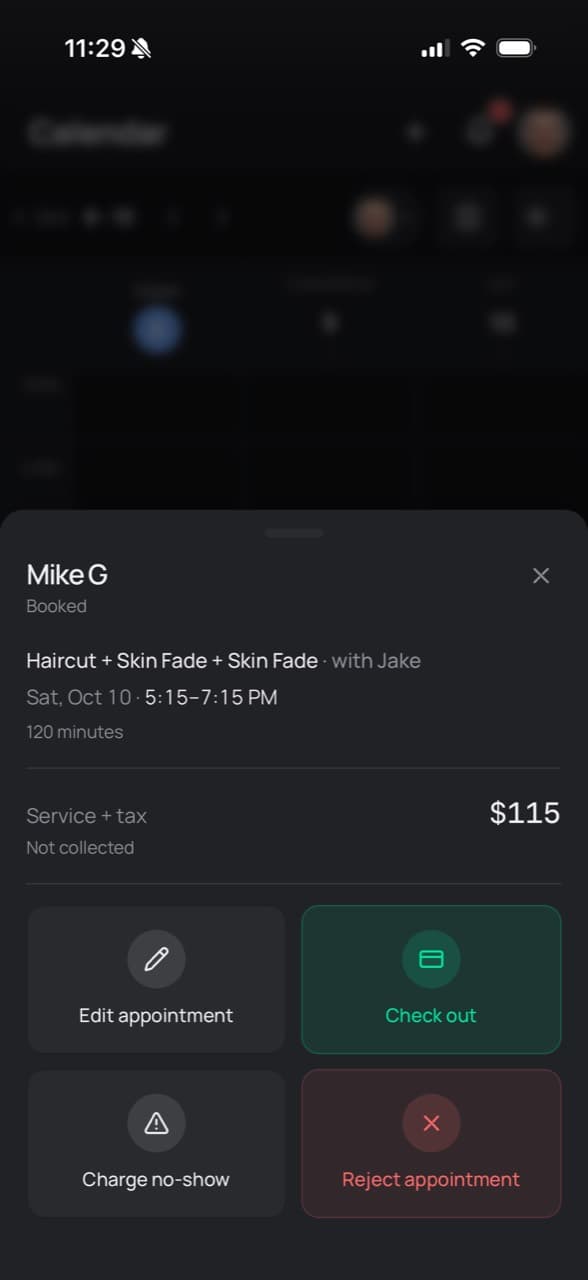
Plans change. Update the appointment.
Open a visit to edit its details or change the time. Handle cancellations and no-shows from the same appointment sheet.
03
Finish the visit and take payment.
Open checkout from the appointment. Record a cash payment, send a secure payment link, or apply a gift card without starting over with the client’s details.
Explore payments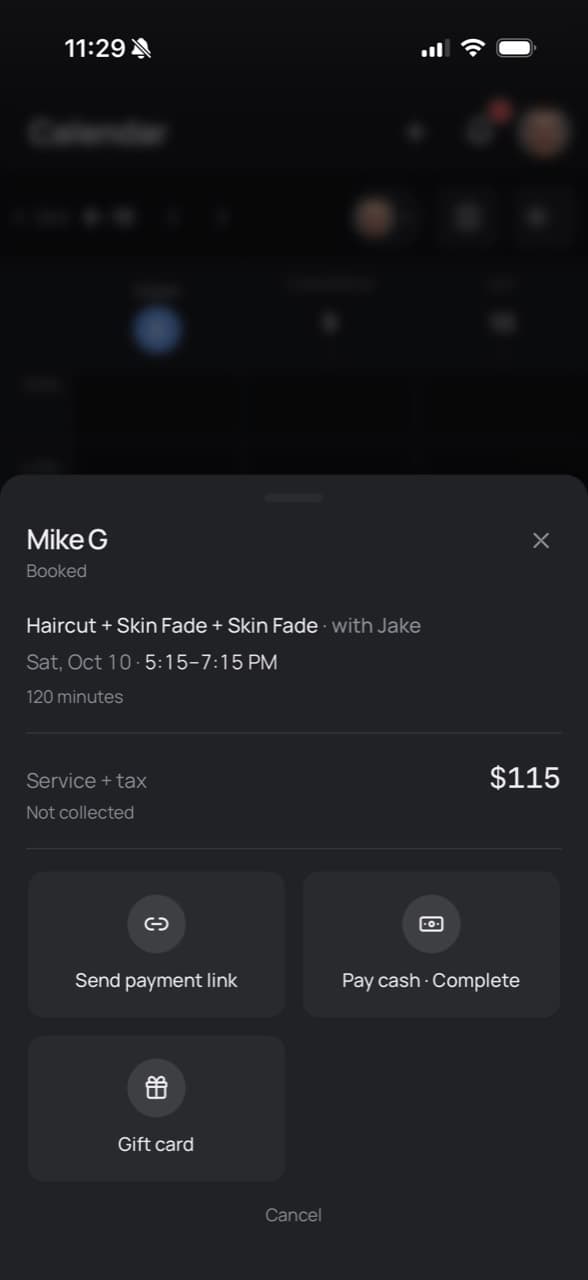
A few useful details.
Can I view one barber’s appointments?
Yes. Choose a barber to focus on their schedule, or view the team together.
Can I check out directly from an appointment?
Yes. Open the appointment and choose Check out. Payment features depend on your plan; card payments also require Stripe setup.
Where do I see payments after checkout?
Your Payments page shows transactions and payment status. The calendar stays focused on appointments.
Get your day in order.
Try ClipWise for 21 days. No card required.